Best TVs for GTA 6 (PS5, PS5 Pro & Xbox)
GTA 6 targets 30fps, so the best TV makes 30fps look its best in your room: for most players, a 65-inch LG C6 or Samsung S90H.
Our pick for most GTA 6 players
LG 65" OLED evo C6 4K Smart TV (2026) for a dim room or an Xbox; the Samsung 65" S90H for a bright room or a stutter-sensitive PS5 player.
The catch: as OLEDs, both show 30fps pans crisp but jerky, and a static HUD risks burn-in.
Spending less? The Hisense 65" U7 (2026) is our value pick, and the TCL 65" QM6K is the best budget TV for GTA 6.
What GTA 6 Actually Sends Your TV
On 10 November 2026 Rockstar said GTA 6 is "targeting 30 frames per second" on PS5, PS5 Pro, Xbox Series X and Series S. The PS5 Pro gets sharper PSSR upscaling and ray-traced shadows, not more frames. Rockstar, Sony and Microsoft haven't published the resolution, HDR, VRR or 120Hz output.
The 40fps talk comes from a 9 November datamine that found a 120Hz output flag. That's a file in the game, not an announcement. Facts here are as of 11 November 2026; we'll update this page after launch on 19 November.
Do you even need a new TV? A 60Hz TV shows every frame of a 30fps game. If yours is a decent 4K set, you may not. Read Does GTA 6 need a 120Hz TV? before you spend anything.
Why 30fps Changes the Winner
Picture it: you swing the camera across Leonida at dusk, the skyline sliding past. At 30fps each frame stays on screen for 33 milliseconds. On an OLED, the pixels switch almost instantly, so you see 30 sharp, frozen pictures a second, and some eyes read that as judder. On an LCD, slower pixels smear each frame into the next. Less judder, more blur.
RTINGS calls it an inverse relationship: the quicker the response time, the more stutter. Neither is wrong. It's about what bothers you. The best fix is motion smoothing, which adds in-between frames. Most TVs switch it off in game mode, where input lag is low, so the real question is which TVs can smooth inside game mode.
| TV (2025-26) | Smooths 30fps inside game mode? |
|---|---|
| Samsung S90H (and other 2026 Samsungs from the QN70H up) | Yes: Game Motion Plus, consoles only, off when VRR is on (Samsung) |
| TCL QM8L and QM7L | Yes: low-lag smoothing in game mode (RTINGS) |
| LG C6, B6 and C6H | No: LG says TruMotion "cannot be set" in game mode |
| Sony BRAVIA 8 II | No: Motionflow is disabled in the Game content type (Sony) |
| Hisense U8QG | No over HDMI (RTINGS) |
| Hisense U6 Pro | Offered, but RTINGS's recheck found it "doesn't actually do anything" |
| Samsung M70H | No: no Game Motion Plus |
| Hisense U7 (U7SG) and TCL QM6K | Unknown: no maker, lab or owner answer yet |
One honest caveat on Samsung: no lab has confirmed that Game Motion Plus smooths a 30fps PS5 game on a 2026 set. An S90H owner playing Red Dead Redemption 2 says "it looks incredible frankly, it's not a smooth 60". It also adds lag: choose.tv measured "under 50 ms" on a European S90H. Our OLED or Mini-LED for GTA 6 page goes deeper.
Top Picks for GTA 6
1. LG 65" OLED evo C6 4K Smart TV (2026) — Best for Dim Rooms and Xbox
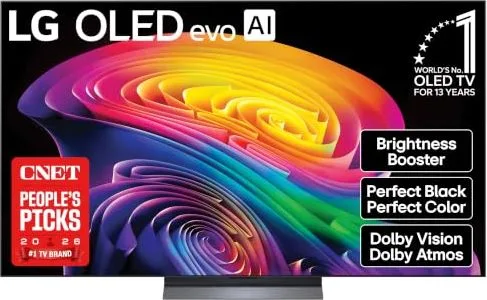
Night in Vice City is where the C6 earns it. Neon signs burn against true black, with no glow around them. In game mode RTINGS measured 1,165 nits on its Hallway Lights scene, against 895 on the S90H. Tom's Guide measured 9.1ms of input lag with Boost, about a quarter of one 30fps frame. Four full HDMI 2.1 ports take a PS5, an Xbox and anything else you own.
It's also the Xbox pick: Dolby Vision gaming is Xbox-only, and Samsung TVs don't support Dolby Vision at all. At a Flagship price, it's the benchmark.
The catch: a glossy screen that mirrors windows, no motion smoothing in game mode (LG's own fix for 30fps stutter is to leave game mode), and OLED burn-in risk with a static HUD.
2. Samsung 65" S90H OLED 4K Smart TV (2026) — Best for Bright Rooms and 30fps Smoothing
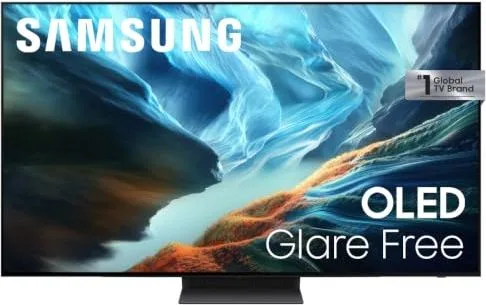
Same LG-made OLED panel as the C6, per RTINGS, with a matte screen on top. Play a Florida afternoon with the blinds open and the sun stays out of the picture: RTINGS says "the C6 can't match the S90H's bright room performance". Tom's Guide measured 9.3ms of lag (on the 55-inch), and all four HDMI ports are full HDMI 2.1.
Its other edge is Game Motion Plus: of the OLEDs here, only Samsung's can smooth motion inside game mode. If 30fps judder gives you a headache, this is the OLED that can fight back, at the cost of some added lag.
The catch: dimmer HDR highlights than the C6 in game mode, no Dolby Vision for Xbox players, and Game Motion Plus at 30fps on a PS5 isn't lab-verified yet.
3. Hisense 65" U7 Mini-LED ULED 4K Google TV (65U7SG, 2026) — Best Value for GTA 6
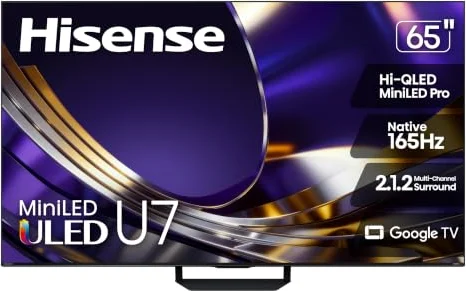
RTINGS names the U7 (65U7SG) its best mid-range TV for PS5, and it's easy to see why. RTINGS rates its matte screen "excellent" with direct reflections, all four HDMI ports are 2.1, and Tom's Guide measured 9.8ms of lag. In game mode RTINGS found "less motion blur" than the TCL QM7L, so a fast drive down the coast stays sharper than on the QM7L. Hisense backs it with a two-year warranty.
The catch: less HDR punch in game mode than the QM7L and QM8L (739 nits on RTINGS's Hallway Lights scene), and nobody has confirmed whether its motion smoothing works in game mode.
4. TCL 65" QM8L SQD-Mini LED 4K Google TV (2026) — Brightest Picture for the Money
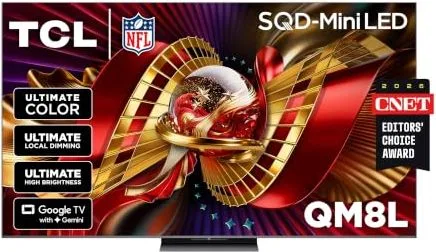
The brightest LCD here in game mode: 1,186 nits on RTINGS's Hallway Lights scene, "bright enough to easily overcome glare in any room". Sunlit streets glare like they should. It has four HDMI 2.1 ports, 9.5ms of lag in Tom's Guide's lab (on the 75-inch), and game-mode smoothing that RTINGS says "works with any source".
The catch: RTINGS calls its game-mode motion "extremely blurry" at 60Hz (in one owner thread, five saw no blur and one did; a Best Buy reviewer also complains of blur), the screen is glossy, and the warranty is one year.
5. TCL 65" QM7L SQD-Mini LED 4K Google TV (2026) — Bright Mini-LED, Two Fast Ports
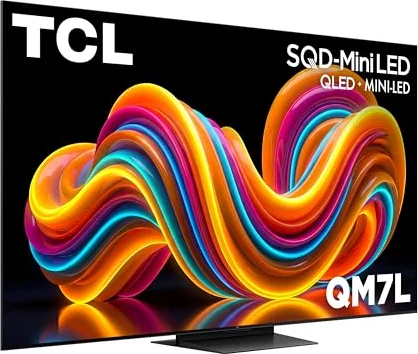
About as bright as the QM8L in game mode (1,103 nits on RTINGS's Hallway Lights scene), with 9.4ms of lag (Tom's Guide, 75-inch) and the same low-lag smoothing. It also comes in 55 inches, which the QM8L doesn't. Fine for one console and a soundbar: the eARC port isn't one of the two fast ones, so the soundbar costs you nothing.
The catch: the blurriest game-mode motion of the three TCLs ("incredibly blurry" at 60Hz, RTINGS), HDR that RTINGS calls "severely overbrightened", and only two HDMI 2.1 ports. RTINGS ranks the U7 above it for gamers.
6. TCL 65" QM6K QD-Mini LED 144Hz Smart TV — Best Budget TV for GTA 6
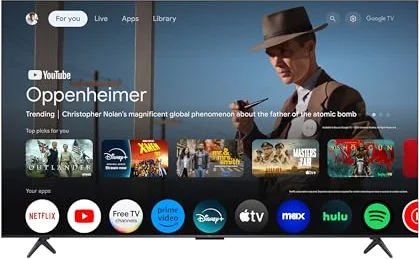
RTINGS's best budget TV for PS5, at a Step-up price. Its game-mode motion is "mediocre" rather than blurry, it shows little stutter, and its HDR is more accurate than the QM7L's. You get 120Hz and two HDMI 2.1 ports, so a 40fps patch would be covered. Lag is about 13ms (Tom's Guide and CNET, 2025): less than half a 30fps frame.
The catch: dim HDR in game mode (408 nits on RTINGS's Hallway Lights scene), so neon nights won't pop, and nobody has confirmed smoothing in game mode.
7. LG 65" OLED B6 4K Smart TV (2026) — Cheapest OLED for a Dark Room
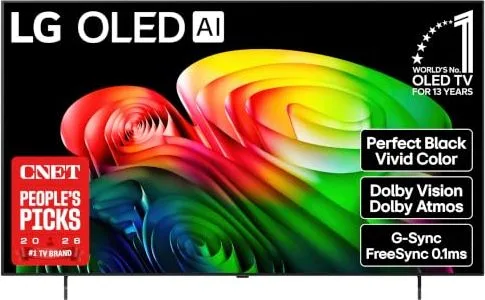
The C6's gaming kit for less: four HDMI 2.1 ports and 8.9ms of lag with Boost (Tom's Guide), a hair quicker than the C6. In a dark room, late-night heists get the same inky blacks.
The catch: much dimmer in game mode (730 nits on RTINGS's Hallway Lights scene against the C6's 1,165), a glossy screen, and the same OLED stutter with no smoothing in game mode.
8. LG 77" OLED evo C6H 4K Smart TV (2026) — Best Big Screen for GTA 6
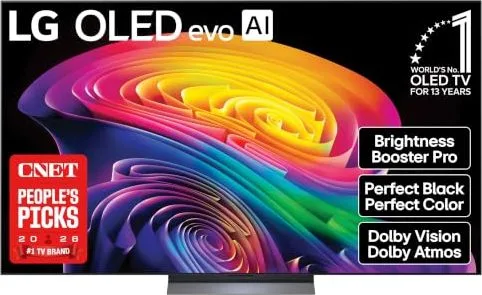
Want Vice City life-size? The 77-inch C6H uses a brighter tandem panel: 2,057 nits on RTINGS's Hallway Lights scene in game mode, about 2.8 times the 77-inch B6. Amazon lists it under both "C6" and "C6H"; check for the H.
The catch: both RTINGS's and HDTVTest's 77-inch samples had uniformity problems, so buy where returns are easy, and the 30fps stutter and burn-in caveats of every OLED apply.
Best for Your Setup
Best for Xbox Series X: LG C6
Dolby Vision gaming is an Xbox feature, and no Samsung TV supports Dolby Vision. The LG 65" OLED C6 does, with four full HDMI 2.1 ports. One caveat: on the 77-inch C6H, HDTVTest found LG's Dolby Vision game mode over-brightened and preferred HDR10 with HGIG, so try both. On a PS5, which games in HDR10, this pick doesn't apply.
Best for Bright Rooms: Samsung S90H
Matte OLED, and 13 of 20 early Best Buy owner reviews praised its glare handling. Cheaper routes: the Hisense U7 (matte and bright) or the TCL QM8L (raw brightness, glossy). Skip the LG B6 here; it's glossy and dim. More in our bright room guide.
If You'll Play GTA 6 for Months: Think About Burn-In
A minimap in the same corner for hundreds of hours is the classic OLED risk. RTINGS rates every OLED here "high risk" with static elements, though mixed content lowers it, and LG's manual lists a game console icon among the images likely to cause retention. LCDs can't burn in. If GTA will be most of what you watch for a year, lean LCD. More in TV burn-in explained.
Popular TVs That Lose for GTA 6
- Samsung M70H: Amazon's best seller in this field. It's 60Hz with no HDMI 2.1, game-mode motion RTINGS calls "incredibly blurry", HDR "far too dim" and no Game Motion Plus. It'll show the confirmed 30fps, but not a 40fps mode. The QM6K is the better buy.
- Samsung QN70H: sold as Neo QLED, but edge-lit, 60Hz, HDMI 2.0 and no VRR. RTINGS calls it a "hard TV to recommend to almost anyone". Game Motion Plus is its one gaming argument.
- Sony BRAVIA 8 II: the "PlayStation TV" by name, with great direct-reflection handling and bright game-mode HDR once its HDR Tone Mapping is set to Brightness Preferred (RTINGS finds its gaming mode noticeably dimmer otherwise). But Tom's Guide measured 16.3ms of lag and called it "laughably bad", it has two HDMI 2.1 ports with one shared with eARC, and Game mode disables motion smoothing. If you want a Sony anyway, a few owners in one thread (two of them with the model only implied) say 30fps games look fine on it.
- Hisense U8QG: bright, but RTINGS says most people should buy the U7 instead. Fewer HDMI ports, no smoothing over HDMI, and it's been replaced. The 55- and 75-inch use a different panel from the 65.
- Hisense U6 Pro: RTINGS calls its game-mode motion "terrible", and its game-mode smoothing setting "doesn't actually do anything". RTINGS calls the TCL QM6K "the better choice for PS5 gamers".
What Else Decides It
HDR Brightness in Game Mode
A peak-brightness number on a box isn't what you'll see. RTINGS measures real scenes in game mode, and those are the numbers above. One unknown: an HDR specialist reading the trailer suspects GTA 6's HDR is converted from SDR, and says himself it's a guess. If so, contrast and tone mapping will matter more than raw nits. We'll know on 19 November.
Input Lag
A 30fps frame lasts 33ms. Every TV we recommend measures roughly 9 to 14ms in game mode, so lag won't be what you notice. Smoothing settings that leave game mode are a different story.
HDMI 2.1 Ports
Not needed for 30fps. Count them if you own two consoles, play other 120Hz games, or want to be ready for a 40fps patch. Four on the LG OLEDs, S90H, QM8L and U7; two on the QM7L and QM6K.
Game mode on, the console in a full-speed HDMI port, HGIG and the PS5's HDR adjustment done. Our GTA 6 TV settings guide has the switches and port numbers for each brand.
Buy now or wait for Black Friday? Black Friday is 27 November 2026, eight days after GTA 6 launches. Prices move daily; our TV deals calendar shows when the big drops usually land.
More GTA 6 Guides
- Does GTA 6 need a 120Hz TV? 30fps, 40fps and VRR, explained.
- GTA 6 TV settings for PS5, PS5 Pro and Xbox.
- OLED or Mini-LED for GTA 6? Stutter against blur.
- PS5 Pro or a new TV? Where the money does more.
- TV or monitor for GTA 6? Couch against desk.
- Best TVs for PS5 and Xbox and best gaming TVs for everything else you play.
Frequently Asked Questions
Does GTA 6 need a 120Hz TV?
Not for the game Rockstar has announced. As of 11 November 2026, GTA 6 targets 30 frames per second on PS5, PS5 Pro, Xbox Series X and Series S, and a 60Hz TV shows every one of those frames. 120Hz only matters for other 120Hz games and for a 40fps mode, if one ever arrives, because 40 divides evenly into 120 but not into 60. Above the cheapest TVs, 120Hz comes included anyway, so if you are buying, buy it.
Is there a 40fps or 60fps mode for GTA 6?
None has been announced. On 9 November 2026 a dataminer found a 120Hz output flag in the game's PlayStation files and said a 40fps mode "is up to Rockstar". The next day Rockstar named only a 30fps target. Digital Foundry called 60fps on console "extremely unlikely". Treat 40fps as a possibility, not a feature.
Will 30fps look bad on an OLED TV?
It can, for some people. OLED pixels switch almost instantly, so each 30fps frame sits sharp and still before jumping to the next, and RTINGS measures that as stutter. In one big Reddit thread from a player planning to buy an LG C6 for GTA 6, 14 commenters said 30fps looks bad on OLED and 16 said it was fine or that you adapt; only a few of them owned a C6. LCDs smear the jump with blur instead. If you know 30fps games make you queasy, pick a TV that can smooth motion inside game mode, or an LCD.
Do I need HDMI 2.1 for GTA 6?
Not for 30fps. HDMI 2.1 matters for 4K at 120Hz, which you need for other 120Hz games, a second console on the same TV, or a future 40fps mode. Every TV we recommend has at least two HDMI 2.1 ports; the LG OLEDs, the Samsung S90H, the TCL QM8L and the Hisense U7 have four.
Should I turn VRR on for GTA 6?
It will not help a locked 30fps on PS5: TechRadar's 2022 test found the PS5's VRR range starts at 48Hz (an older test; Sony's own page was unavailable when we checked). On a Samsung TV, VRR also switches off Game Motion Plus, the setting that smooths 30fps. Our GTA 6 settings guide covers this brand by brand.
Is the PS5 Pro or a new TV the better upgrade for GTA 6?
Rockstar says the PS5 Pro adds sharper PSSR upscaling and ray-traced shadows, at the same 30fps target. If your TV is 60Hz or edge-lit, a better TV changes more of what you see; if you already own a 2024 to 2026 OLED, the Pro is the bigger step. Our PS5 Pro vs new TV page runs the numbers.
Can I play GTA 6 on a smart TV without a console?
Not as of 11 November 2026. Rockstar lists Xbox Cloud Gaming for GTA 6 on Xbox Series X|S and Xbox One consoles only, using Series S graphics settings. Smart TVs are not on that list.
Ready for Vice City
For a dim room or an Xbox, get the LG 65" OLED C6. For a bright room or a PS5 player who hates judder, the Samsung 65" S90H. For less money, the Hisense 65" U7 (2026). Then go and cause some trouble.
The TV We'd Play GTA 6 On
For dim rooms and Xbox:
LG 65" OLED evo C6 4K Smart TV (2026) Brightest of our OLED picks on RTINGS's Hallway Lights scene, 9.1ms lag, four HDMI 2.1 ports and Dolby Vision gaming for Xbox Read Full Review →Compare the Best TVs for GTA 6
Sources
This guide is based on Rockstar's, Sony's and Microsoft's published information, on maker manuals and support pages, and on reviews and lab measurements by the outlets below. We have not tested these TVs ourselves; where a figure comes from a specific reviewer or owner, it says so. Owner reports come from single threads and are counted by hand.
- Rockstar Newswire, "Pre-load Grand Theft Auto VI now" (10 Nov 2026)
- PlayStation Blog, pre-load GTA VI on PS5 (10 Nov 2026)
- Vice, GTA 6 PS5 Pro 40fps datamine report (9 Nov 2026)
- TechRadar, analysts on 60fps being "extremely unlikely" on console (28 Aug 2026)
- RTINGS, stutter test method (updated 19 Mar 2026)
- RTINGS, best TVs for PS5
- RTINGS, LG C6 OLED review
- RTINGS, Samsung S90H OLED review
- RTINGS, Hisense U7SG review
- RTINGS, TCL QM8L review
- RTINGS, TCL QM7L review
- RTINGS, TCL QM6K review
- RTINGS, LG B6 OLED review
- RTINGS, LG C6H OLED review
- RTINGS, Samsung M70H review
- RTINGS, Samsung QN70H review
- RTINGS, Hisense U8QG review
- RTINGS, Hisense U6SF Pro review (rechecked 26 Oct 2026)
- Tom's Guide, LG C6 OLED review (2026)
- Tom's Guide, Samsung S90H OLED review (16 Jul 2026)
- Tom's Guide, Hisense U7SG review (24 Aug 2026)
- Tom's Guide, TCL QM8L 75-inch review (2026)
- Tom's Guide, Sony BRAVIA 8 II review
- LG USA help library, 30fps stuttering on PS5 (4 Nov 2025)
- Samsung US, Game Bar features on 2026 TVs
- Sony US Help Guide, motion settings by content type
- choose.tv, Samsung S90H review (European 65-inch unit)
- Xbox Support, Dolby Vision gaming
- TechRadar, VRR on PS5 tested (2022)
- Reddit r/OLED_Gaming, "Planning on purchasing the LG C6" GTA 6 thread (commenters' views, 31 Oct 2026)