OLED or Mini-LED for GTA 6? Does 30fps Look Worse on OLED?
Yes, to a lot of people it does. GTA 6 targets 30 frames per second on every console (Rockstar, 10 November 2026), and an OLED shows each of those frames razor-sharp and then snaps to the next one. That snap is stutter. A mini-LED's slower pixels smear the same snap into blur. Neither is free; the question is which one you notice, and whether your TV can smooth the motion without leaving game mode. Only some can, and they are not the ones you'd guess.
Which to buy for a 30fps GTA 6: our picks by player
-
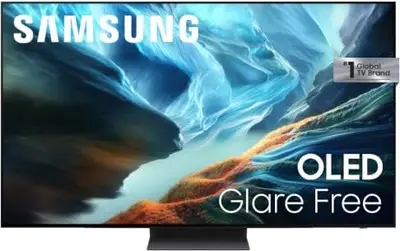 Worried about stutter, room with daylightSamsung 65" S90H: the OLED that can smooth 30fps inside game mode (Game Motion Plus), with a matte screen; the fix isn't lab-tested on a 30fps PS5 game yet Check Price on Amazon
-
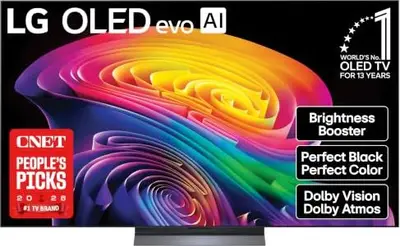 Dark room, sharpness firstLG 65" OLED C6: brighter in game mode than the S90H on RTINGS's real scenes; no smoothing inside game mode Check Price on Amazon
-
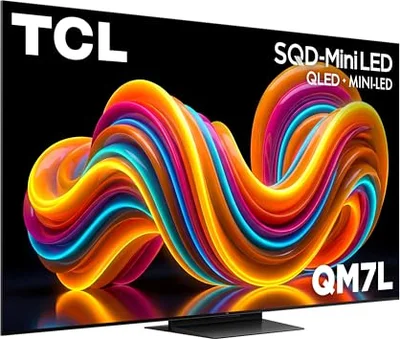 Stutter-sensitive on a smaller budgetTCL 65" QM7L: LCD plus game-mode smoothing (RTINGS); the trade is heavy blur at 60Hz Check Price on Amazon
-
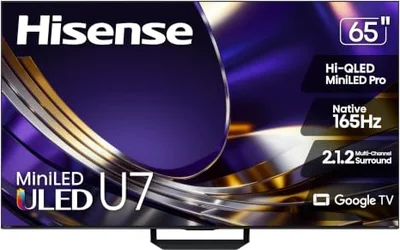 GTA for months, one HUD on screenHisense 65" U7 (2026): LCD, so no burn-in; matte screen and less blur than the QM7L (RTINGS) Check Price on Amazon
Our overall pick for a player worried about 30fps is the Samsung 65" S90H, at a Flagship price. At 65 inches it uses the same OLED panel as the LG C6 (RTINGS), adds a matte screen that RTINGS says does an "outstanding job" against direct reflections, and it is the only OLED among our picks that can smooth motion while staying in game mode (the cheaper, dimmer Samsung S85H can too). The catch is real: no lab has yet shown Game Motion Plus working on a 30fps PS5 game, the added lag hasn't been measured on a US unit, it switches off whenever VRR is on, and the S90H has no Dolby Vision for Xbox players.
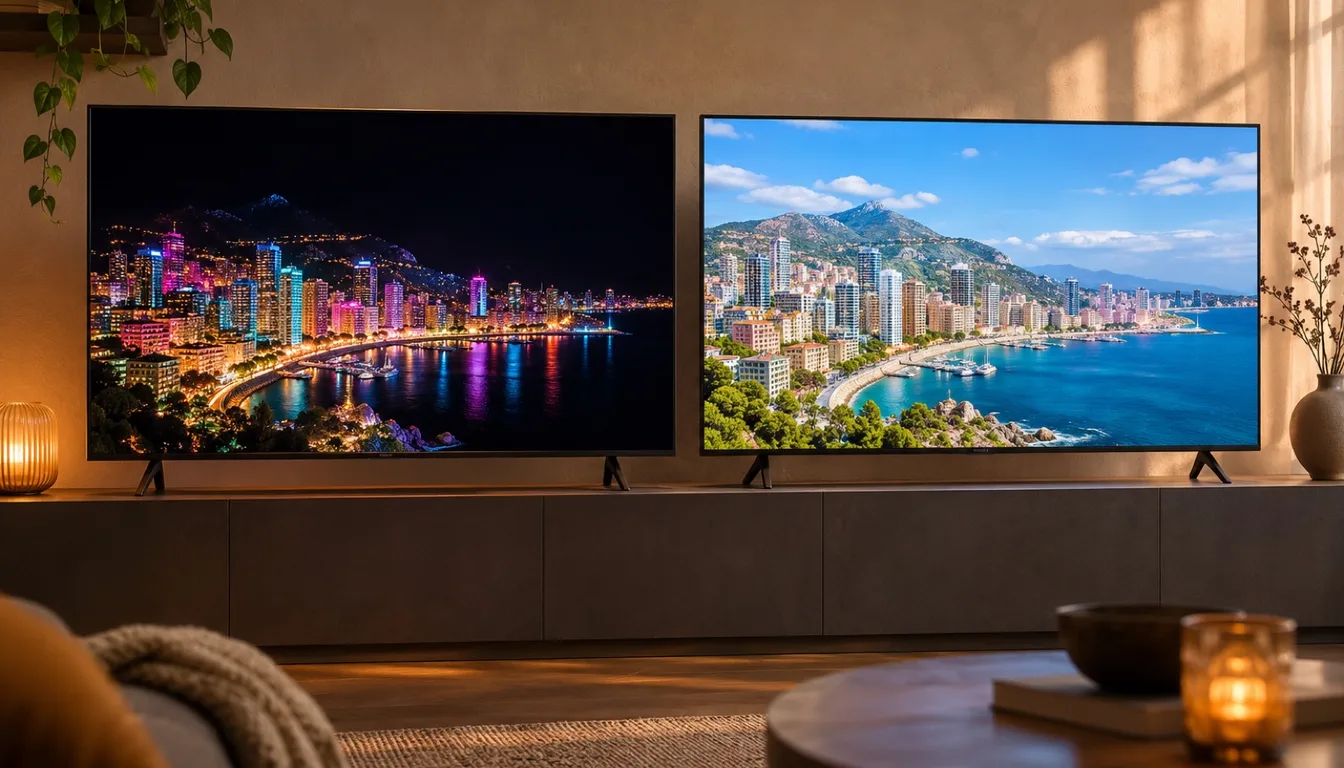
Why 30fps Looks Different on OLED and Mini-LED
Picture a slow camera pan along a neon-lit street at night. At 30fps, each frame holds still for about 33 milliseconds. On an OLED the pixels switch almost instantly, so you see 30 crisp, frozen pictures a second, each one a small jump from the last. Your eye reads the jumps as judder.
RTINGS, which measures this on every TV it reviews, puts it plainly: "Stutter has an inverse relationship with a TV's response time; the quicker the response time, the more stutter there is." An LCD's slower pixels take time to change, which "creates phantom objects" that soften each jump. That same softening is what reviewers call blur.
So the choice isn't a good panel against a bad one. It is sharp-but-steppy against smooth-but-soft. One caveat: RTINGS runs its stutter test on 24fps film, not a 30fps game. The mechanism is the same; a 30fps frame is held a little shorter.
What's confirmed, as of 11 November 2026: Rockstar says GTA 6 is "targeting 30 frames per second" on PS5, PS5 Pro, Xbox Series X and Series S. The PS5 Pro adds sharper upscaling (PSSR) and ray-traced shadows, not frames. No 40fps or 60fps mode is announced; the 40fps talk comes from a 9 November datamine. Resolution, HDR, VRR and 120Hz output have not been published. More in Does GTA 6 need a 120Hz TV?
Which TVs Can Smooth Motion Inside Game Mode
Motion smoothing (interpolation) invents in-between frames, so each picture stays on screen for less time. RTINGS calls it "probably the best way to reduce stutter". The problem: most TVs switch it off in game mode, and leaving game mode "dramatically increases input lag" (RTINGS). Here is every TV we cover for GTA 6, model by model.
| TV (2025-26) | Smoothing inside game mode? | Who says so |
|---|---|---|
| Samsung 2026, QN70H and up (incl. S90H, S85H) | Yes: Game Motion Plus. Consoles only; off when VRR is on | Samsung US Game Bar page |
| TCL QM7L, QM8L | Yes: low-latency interpolation when gaming; added lag not published | RTINGS reviews |
| LG C6, B6, C6H | No: "TruMotion cannot be set if you set the game mode" | LG US help library |
| Sony BRAVIA 8 II | No: Motionflow is disabled when content type is Game | Sony US Help Guide |
| Hisense U8QG | No over HDMI (only on its USB-C PC input) | RTINGS |
| Hisense U6SF Pro | Offered, but "doesn't actually do anything" | RTINGS recheck, 26 Oct 2026 |
| Samsung M70H | No: no Game Motion Plus | Samsung spec sheet |
| TCL QM6K | Unknown: TCL's manual and RTINGS don't say | No published answer |
| Hisense U7SG | Unknown: RTINGS doesn't say; no owner report found | No published answer |
The surprise is that this cuts across the OLED and mini-LED line. Samsung's OLEDs can smooth in game mode; LG's and Sony's can't. TCL's QM7L and QM8L can; Hisense's mostly can't, or nobody has checked.
The Catch With Game Motion Plus
Samsung's fix is the strongest argument for the S90H, so it deserves a hard look. One S90H owner playing Red Dead Redemption 2 at 30fps on a PS5 Pro (Reddit, 3 September 2026) says "it looks incredible frankly, it's not a smooth 60", that it took him from "eye strain and a headache after 10 minutes" to playing for over an hour, and that "quick sweeps of the camera are still a bit choppy".
Against that: owners of 2021-22 Samsung Neo QLEDs reported it did nothing for 30fps games sent at 60Hz. Owners of 2020, 2022 and 2026 models say it works, so it looks like a fault of those two years, but no lab has confirmed it on a 2026 US set. And the lag: choose.tv measured "under 50 ms" in total on a European S90H, against 9.3ms in plain game mode (Tom's Guide). A 30fps frame lasts 33ms, so that is roughly one extra frame. For a story game most people won't feel it; for a twitchy shootout, some will.
Game Motion Plus switches itself off whenever VRR is on (Samsung). On PS5, VRR does nothing for a locked 30fps game anyway: the console's VRR range starts at 48Hz (TechRadar's 2022 test). So for GTA 6 on a Samsung, turn VRR off and Game Motion Plus on. If it's still greyed out, check that AI Gaming Optimizer is off. Menus for every brand are in our GTA 6 TV settings guide.
What If You Already Own an LG OLED?
LG's own help page, written for all models and using Red Dead Redemption 2 as the example, says 30fps games can stutter and gives one fix: turn off ALLM on the PS5 so the TV leaves game mode, then use TruMotion. You get smoothing, and you pay for it in input lag that no lab has measured on the C6.
Owners who've done it on older LG OLEDs describe exactly that trade. An LG C3 owner found the 30fps GTA 6 footage "really distracting and almost gave me a slight headache"; with TruMotion de-judder at 8 out of 10 he saw "slight input delay and some artifacting, especially at the crosshair and character faces", but "much better than the chop".
Sony's BRAVIA 8 II is in the same boat: its manual says Motionflow is disabled when the content type is set to Game.
Mini-LED Has Its Own 30fps Problem: Blur
LCD blur is not a cure; it is a different side effect. In game mode at 60Hz, the signal a 30fps console game normally uses (whether GTA 6 sends 60Hz or 120Hz on PS5 is open until launch), RTINGS calls the TCL QM7L "incredibly blurry" and the QM8L "extremely blurry". The Hisense U7SG blurs too, but less than the QM7L. RTINGS rates the TCL QM6K "mediocre": noticeable blur, but less than the QM7L and QM8L.
Some people feel blur the way others feel stutter. One TCL QM6K owner gets eye strain and headaches "within five minutes" of gaming; in the same thread, TCL owners split 3 unhappy to 4 fine. In a QM8L thread, 5 owners saw no blur and 1 did, returning his TV and saying "motion blur is very noticeable to me"; one Best Buy owner also reports blur.
The upside of TCL's QM7L and QM8L is that you can add game-mode smoothing on top, so the blur and the stutter both shrink. How well that works on a 30fps game hasn't been tested by a lab.
Room Light Still Decides a Lot
GTA 6 is set in sun-bleached Florida and neon nights, so HDR brightness in game mode matters, and so does the window opposite your TV. These are RTINGS's game-mode measurements on its brightest real-scene test (Hallway Lights), with its verdict on reflections.
| TV (65") | Game-mode HDR, Hallway Lights | Screen |
|---|---|---|
| TCL QM8L | about 1,190 cd/m² | Glossy; "bright enough to easily overcome glare in any room" |
| LG C6 | about 1,165 cd/m² | Glossy; direct reflections "okay" |
| TCL QM7L | about 1,100 cd/m² | Glossy; reflections "still clearly visible in darker scenes" |
| Samsung S90H | about 895 cd/m² | Matte; "outstanding" with direct reflections |
| Hisense U7SG | about 740 cd/m² | Matte; "excellent" with direct reflections |
In a dark room the LG C6 is the brighter, punchier OLED. In daylight the order flips on the things you'll see: RTINGS says "the C6 can't match the S90H's bright room performance", and 13 of the first 20 Best Buy owner reviews of the S90H (all marked incentivized) praise its glare handling. Nobody yet knows how good GTA 6's HDR is; that comes on 19 November.
Burn-In: Months of the Same Minimap
Every OLED on this page carries the same RTINGS warning; for the 2026 LG and Samsung OLEDs it reads: "high risk of permanent burn-in with exposure to static elements ... if you watch mixed content, you shouldn't have any issues." GTA 6's minimap, health bar and phone icons, on screen night after night for months, are the static case. LG's manual names console icons as a risk, and LG's TVs dim static images automatically, which helps.
If the TV will do mostly GTA 6 for the next year, an LCD removes the question: RTINGS calls the Hisense U7SG "completely immune to permanent burn-in". If GTA shares the screen with films, shows and other games, an OLED is the normal mixed-content case. Our burn-in guide covers the long-term test results.
The Winner, Player by Player
- You notice stutter and your room has daylight: the Samsung S90H, for Game Motion Plus and the matte screen. The matte Hisense U7SG is the LCD route, though RTINGS still sees noticeable stutter on low-frame-rate video and its game-mode smoothing is unknown.
- You notice stutter and want to spend less: the TCL QM7L, or the brighter TCL QM8L with four HDMI 2.1 ports. Both blur at 60Hz in game mode, and both can smooth on top.
- You play in the dark and want the sharpest picture: the LG C6. Many owners adapt to the stutter; some never do (14 bothered against 16 fine in the biggest C6-for-GTA thread).
- GTA 6 is all you'll play for months: any LCD here. The Hisense U7SG is RTINGS's best mid-range TV for PS5.
- You're on Xbox: lean LG. The S90H has no Dolby Vision, so no Dolby Vision gaming.
Still unsure which you are? If 30fps games have never bothered you on your current LCD TV, remember that moving to an OLED is exactly when owners start to notice: a new 65" C6 owner says slow pans "almost cause motion sickness". For the full ranking, see the best TVs for GTA 6; for the general case, OLED vs mini-LED.
Our Top Picks for a 30fps GTA 6
Frequently Asked Questions
Does 30fps look worse on an OLED TV?
It looks choppier to many people, yes. An OLED pixel changes almost instantly, so each 30fps frame sits perfectly still for 33 milliseconds and then jumps to the next. RTINGS calls this stutter and says it has an inverse relationship with response time: the faster the panel, the more stutter. A mini-LED or LED TV changes its pixels more slowly, which smears the jump into blur. Owners split on whether it bothers them: in the biggest Reddit thread about buying an LG C6 for GTA 6, 14 commenters found 30fps bad on OLED and 16 found it fine or got used to it.
Is QLED or mini-LED better than OLED for GTA 6?
It depends what bothers you. An LCD-based TV (QLED, Neo QLED or mini-LED) shows less stutter at 30fps but more blur, and none of them can burn in. OLED is sharper, has perfect blacks and shows more stutter. Skip Samsung's budget M70H for this game, though: RTINGS calls its game-mode motion "incredibly blurry", its HDR far too dim, and it has no Game Motion Plus.
Can I use motion smoothing in game mode?
Only on some TVs. As of 11 November 2026: yes on 2026 Samsung TVs from the QN70H up (Game Motion Plus, consoles only, off when VRR is on) and on the TCL QM7L and QM8L (RTINGS). No on the LG C6, B6 and C6H (LG), the Sony BRAVIA 8 II (Sony), the Hisense U8QG over HDMI and the Samsung M70H. The Hisense U6SF Pro offers a setting that RTINGS found does nothing. For the TCL QM6K and Hisense U7SG nobody has published an answer yet.
Why is Game Motion Plus greyed out on my Samsung?
Samsung's 2026 Game Bar page gives three reasons: it works only with game consoles, it is disabled when VRR is turned on, and it is dimmed when AI Gaming Optimizer is on. For a locked 30fps game on PS5, VRR has nothing to do anyway, because the PS5's VRR range starts at 48Hz (TechRadar's 2022 test), so turning VRR off costs you nothing in GTA 6.
Will GTA 6 burn in my OLED?
Nobody can say yet for this game. RTINGS rates the 2026 OLEDs as "high risk of permanent burn-in with exposure to static elements", and adds that with mixed content you shouldn't have any issues. A minimap and HUD on screen for hours a day, for months, is the static case. If GTA 6 will be most of what your TV shows, an LCD such as the Hisense U7SG or TCL QM8L is immune. Our burn-in guide covers the long-term test data.
Should I turn motion blur on in GTA 6?
Try both. Owners in the GTA 6 OLED threads disagree: about five say in-game motion blur is essential at 30fps, about three say 30fps with motion blur makes them feel sick. Which blur options GTA 6 itself has will only be known at launch on 19 November 2026.
Will a 40fps mode fix the stutter?
There isn't one announced. On 10 November 2026 Rockstar said GTA 6 is "targeting 30 frames per second" on PS5, PS5 Pro and Xbox Series X and S. The 40fps talk comes from a 9 November datamine that found a 120Hz output flag, which is not an announcement. If a 40fps mode ever arrives, it needs a 120Hz TV, which every TV in our picks has.
Sources
This guide is based on Rockstar's and the TV makers' own published information, on lab measurements and reviews by the outlets below, and on owner reports counted from the Reddit threads listed. Nobody behind this site has tested these TVs; where a figure or quote comes from a specific reviewer or owner, it says so. Owner counts come from single threads and are small.
- Rockstar Newswire, "Pre-load Grand Theft Auto VI now" (10 Nov 2026)
- PlayStation Blog, "Pre-load Grand Theft Auto VI on PS5 starting today" (10 Nov 2026)
- Vice, GTA 6 PS5 Pro 40fps datamine report (9 Nov 2026)
- RTINGS, Stutter test methodology (updated 19 Mar 2026)
- RTINGS, Motion interpolation and the soap opera effect (updated 23 Mar 2026)
- Samsung US, Game Bar features on 2026 Samsung TVs (read 11 Nov 2026)
- Samsung Australia, Game Bar features on 2026 Samsung Smart TVs (read 11 Nov 2026)
- LG US help library, stuttering in particular game titles on PS5 (4 Nov 2025)
- Sony US Help Guide, BRAVIA motion settings (read 11 Nov 2026)
- RTINGS, LG C6 OLED (2026) review (read 11 Nov 2026)
- RTINGS, Samsung S90H OLED review (read 11 Nov 2026)
- RTINGS, TCL QM7L review (read 11 Nov 2026)
- RTINGS, TCL QM8L review (read 11 Nov 2026)
- RTINGS, Hisense U7SG review (read 11 Nov 2026)
- RTINGS, Hisense U8QG review (read 11 Nov 2026)
- RTINGS, Hisense U6SF Pro review (rechecked 26 Oct 2026)
- RTINGS, TCL QM6K review (read 11 Nov 2026)
- RTINGS, Samsung M70H review (read 11 Nov 2026)
- RTINGS, Samsung QN70H review (read 11 Nov 2026)
- choose.tv, Samsung S90H WOLED review (European unit; read 11 Nov 2026)
- TechRadar, "I tested VRR on PS5" (2022)
- Reddit r/OLED_Gaming, "Planning on purchasing the LG C6" (31 Oct 2026)
- Reddit r/OLED_Gaming, "Any tips to optimizing your OLED TV for 30fps gaming for GTA 6" (Aug to Nov 2026)
- Reddit r/OLED_Gaming, "30 FPS games feel noticeably less smooth on my new OLED" (Nov 2026)
- Reddit r/GTA6unmoderated, S90H owner on Game Motion Plus with RDR2 (3 Sep 2026)
- Reddit r/tcltvs, "TCL QM8L vs QM8K: how noticeable is the QM8L's motion blur" (2026)
- Reddit r/tcltvs, "Going insane gaming on QM6K" (8 Aug 2026)