TCL 65" QM8L SQD-Mini LED 4K Google TV (2026) Review 2026
The 65-inch QM8L is the smallest size of TCL's 2026 upper-mid-range Mini-LED, and the one RTINGS tested. It is extraordinarily bright, has four full-speed HDMI 2.1 ports and can smooth motion without leaving game mode. The catch for gamers is the opposite of an OLED's: RTINGS rates its game-mode motion very blurry. It also has a glossy screen and a one-year warranty.
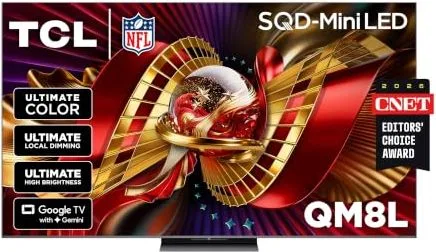
The 65" QM8L is the bright-room Mini-LED for console gaming: over 4,000 nits measured, four HDMI 2.1 ports and motion smoothing that works in game mode. RTINGS found its game-mode motion very blurry, and owners split on whether they notice it.
The 65-Inch QM8L in Brief
The QM8L comes in 65, 75, 85 and 98 inches, and there is no 55-inch in the US. Bigger sizes get more dimming zones: RTINGS lists 2,040 at 65 inches against 2,584 on the 75-inch, and TCL advertises up to 5,000 nits here against 5,500 at 75. The four HDMI 2.1 ports, the SQD colour system and Google TV are common to every size, so our TCL 75" QM8L review covers what changed from the QM8K, sound and smart features. This page focuses on the 65-inch measurements and on gaming.
Brightness: Built for Sunny Rooms
RTINGS measured over 4,000 nits on a 10% HDR window and over 6,000 on a 5% window, and says it is "bright enough to easily overcome glare in any room". Picture a living room with the blinds open at noon: the picture still pops.
In game mode the lead narrows. On RTINGS's Hallway Lights scene the QM8L reached 1,186 nits in Game Master with Peak Brightness on Boost, a touch above the LG C6's 1,165 and the TCL QM7L's 1,103. On Yellow Skyscraper and Landscape Pool it reached 534 and 314 nits. Contrast is excellent: RTINGS found "extremely precise" dimming with "very minimal haloing".
The weak spot is accuracy. RTINGS rates its HDR tracking poor at Peak Brightness High, with midtones "way too bright", and an August firmware made it slightly worse. Setting Low tracks better but cuts about 1,000 nits from small highlights.
Reflections: Bright, Not Matte
The screen is glossy. RTINGS rates direct reflections "just okay": lamps and windows stay "very clear and noticeable", with a "distracting rainbow smear" around bright lights. Digital Trends agrees the panel picks up reflections but says "the sheer light output sufficiently cuts glare". If reflections bother you more than dimness, the matte Hisense U7SG handles them far better.
Gaming: Every Port, Low Lag
All four HDMI inputs carry full HDMI 2.1 bandwidth with 4K at up to 144Hz, and 1080p or 1440p at up to 288Hz (RTINGS). The PS5 and PS5 Pro get 4K and 1440p at 120Hz, VRR and ALLM; Xbox gets Dolby Vision gaming. Input lag measured 9.5ms in the Future lab and 9.8ms at ecoustics, both on the 75-inch; RTINGS calls it "excellent" in Game Master. Sources disagree on which port carries eARC (TCL's spec sheet says HDMI 4, Digital Trends and Tom's Guide say HDMI 1), but with four full ports it hardly matters.
Motion: Blur, and a Way to Smooth It
Mini-LED pixels change slowly. That hides judder, so RTINGS finds "relatively little stutter", but it smears motion. In game mode RTINGS rates it "very slow, and motion is extremely blurry" at 60Hz, "sub-par" at 120Hz, and says it is "not as well-suited for faster games". The Display Guy was blunter: "I frankly would avoid gaming on it."
What sets it apart is smoothing. RTINGS says it has "a low-latency motion interpolation feature, which generates intermediate frames when gaming", and that it "works with any source, even older consoles". In RTINGS's stutter test (mode not stated), it rates the smoothing "very good" and "incredibly consistent". The added lag in game mode is not published, and no lab has described how well it smooths a 30fps game.
RTINGS measures game-mode motion with VRR on, which locks out the Overdrive setting. With VRR off, RTINGS staff say Overdrive Turbo improves pixel response slightly but adds overshoot. For a locked 30fps game on PS5, VRR does nothing anyway, so trying VRR off is a cheap experiment.
For GTA 6
Rockstar confirmed on 10 November 2026 that GTA 6 targets 30 frames per second on PS5, PS5 Pro and Xbox Series X|S; as of 11 November 2026 no faster mode is announced. That plays to the QM8L's strengths: Vice City's sunlight and neon get real punch, slow pixels mean little judder, and it can add in-between frames without leaving game mode. The risk is blur when you whip the camera around in a car chase: RTINGS rates its game-mode motion "extremely blurry" at 60Hz and "sub-par" at 120Hz (whether consoles will send GTA 6 at 60 or 120Hz is not yet known). Weigh it against the alternatives in our best TVs for GTA 6 and OLED or Mini-LED for GTA 6.
Strengths
- ✓Very bright: RTINGS measured over 4,000 nits on a 10% HDR window
- ✓Low-latency motion interpolation in Game Master works with any console (RTINGS)
- ✓Four full HDMI 2.1 ports at 4K/144Hz; 2,040 dimming zones with very minimal haloing (RTINGS)
Cons
- ✗Extremely blurry motion in game mode at 60Hz (RTINGS)
- ✗Poor HDR accuracy with Peak Brightness on 'High' (RTINGS)
- ✗Glossy screen: lights and windows still reflect clearly (RTINGS)
What Owners Report
Owners split on blur exactly as the lab results suggest they might. In one r/tcltvs thread, started by an Xbox Series X buyer planning for GTA 6, five QM8L owners said they notice no blur in games, including a 65-inch Series X owner and an 85-inch owner who came from an LG C3 OLED. Two owners disagreed: one returned the set because "motion blur is very noticeable to me", and a 65-inch owner on Best Buy wrote that "the motion blur and artifacts are present no matter what game settings I change".
Overall Best Buy rated the 65-inch 4.8 out of 5 from 63 reviews on 11 November 2026, most written in the first weeks and marked as incentivized. Two owners praised it in well-lit rooms. Our 75-inch review covers owner reports of "reverse blooming". These are individual reports, not a defect rate.
What the Reviews Say
Reviewers agree on the brightness, the dimming and the HDMI upgrade, and split on gaming. Tom's Guide calls its lag "one of the fastest we've measured", and gamers on YouTube praise how smooth it feels; RTINGS and The Display Guy, who measure or study pixel response, find heavy blur. Both are true: one side is talking about frame rate and lag, the other about how sharp a moving object stays.
65" QM8L vs the Alternatives
- TCL QM7L: slightly cheaper, with two full HDMI 2.1 ports instead of four and the same game-mode smoothing. RTINGS rates its game-mode motion "incredibly blurry", and it comes in 55 inches.
- Hisense U7SG: RTINGS's best mid-range TV for PS5. Matte, four HDMI 2.1 ports, a two-year warranty and less blur than the QM7L, but dimmer on bright highlights in game mode (Hallway Lights 739 nits, RTINGS), and whether it smooths in game mode is unknown.
- LG B6: an OLED for dark rooms: sharp motion with stutter, perfect blacks, no game-mode smoothing, and much dimmer on bright highlights (Hallway Lights 730 nits, RTINGS).
- LG C6: pricier. It matches the QM8L on RTINGS's Hallway Lights scene and is brighter on the other two, with sharp motion, a glossy screen and a burn-in risk the QM8L doesn't have.
- TCL 75" QM8L: the same TV with more zones, if your room takes 75 inches.
Who Should Buy the 65" QM8L, and Who Shouldn't
Buy it if your room is bright, you want HDR that dazzles, you connect several consoles or a PC, you want burn-in to be a non-issue, or you want to smooth 30fps games without leaving game mode.
Look elsewhere if motion blur bothers you (try an OLED), reflections are your main problem (the matte U7SG), you want accurate HDR without tweaking, you need a 55-inch (the QM7L), or you want more than a one-year warranty.
Frequently Asked Questions
Is there a 55-inch TCL QM8L?
Not in the US. The QM8L comes in 65, 75, 85 and 98 inches; the European C8L has a 55-inch with a different panel type, according to RTINGS. If you need 55 inches, the TCL QM7L is the closest TCL alternative.
TCL QM7L or QM8L at 65 inches?
The QM8L adds four full HDMI 2.1 ports instead of two, brighter HDR highlights and less haloing (RTINGS). Both have about 9.5ms input lag and low-latency smoothing in game mode, and both blur in game mode. The QM7L handles direct reflections slightly better and is the only one of the two sold at 55 inches. If you connect more than one console or a gaming PC, the QM8L is worth the small step up.
Is the 65-inch QM8L good for PS5 and Xbox?
For features and lag, yes: all four HDMI ports run at full HDMI 2.1 bandwidth, the PS5 and PS5 Pro get 4K and 1440p at 120Hz with VRR and ALLM, Xbox gets Dolby Vision gaming (RTINGS), and labs measured about 9.5 to 9.8ms input lag. The catch is motion: RTINGS rates its game-mode motion "extremely blurry" at 60Hz.
How bright is the 65-inch QM8L?
RTINGS measured over 4,000 nits on a 10% HDR window and over 6,000 on a 5% window. TCL advertises up to 5,000 nits for this size; the 6,000-nit claim is for the 85- and 98-inch. In RTINGS's game-mode real scenes it reached 1,186, 534 and 314 nits.
What warranty does the QM8L have?
One year, according to TCL's US spec sheet. Hisense gives the U7SG two years.
Final Verdict
The 65" QM8L is the bright-room Mini-LED for console gaming: over 4,000 nits measured, four HDMI 2.1 ports and motion smoothing that works in game mode. RTINGS found its game-mode motion very blurry, and owners split on whether they notice it.
For a bright living room and a player who notices judder more than blur, the 65-inch QM8L is one of the strongest TVs in its band. If you are sensitive to blur, look at an OLED instead.
Sources
This review is based on the manufacturer's published specifications, on reviews and lab measurements by the outlets below, and on owner reports. We have not tested the TV ourselves; where a figure comes from a specific reviewer, it says so.
- TCL, 75QM8L specification sheet (via P.C. Richard)
- RTINGS, TCL QM8L review (65", checked 11 November 2026)
- RTINGS, TCL QM8L video review (3 June 2026)
- RTINGS, TCL QM7L review (checked 11 November 2026)
- RTINGS, Hisense U7SG review (checked 11 November 2026)
- RTINGS, stutter test method (updated 19 March 2026)
- Tom's Guide, TCL QM8L review (75")
- Tom's Guide, TCL QM8L vs QM7L lab comparison
- ecoustics, TCL QM8L review (75")
- Digital Trends, TCL QM8L review (85")
- The Display Guy, TCL QM8L video review (9 May 2026)
- Rockstar Games Newswire, GTA VI pre-load announcement (10 November 2026)
- Reddit r/tcltvs, QM8L vs QM8K owner thread on gaming blur (2026)
- Best Buy, TCL 65" QM8L owner reviews (read 11 November 2026)