LG 42" OLED evo C6 4K Smart TV (2026) Review 2026
The 42-inch C6 is the smallest TV in LG's 2026 C-series and the one most likely to end up on a desk. It keeps the C6's gaming features: four HDMI 2.1 ports, very low lag, up to 165Hz from a PC. What it gives up is brightness, because LG leaves out the Brightness Booster that the 55- and 65-inch sizes get.
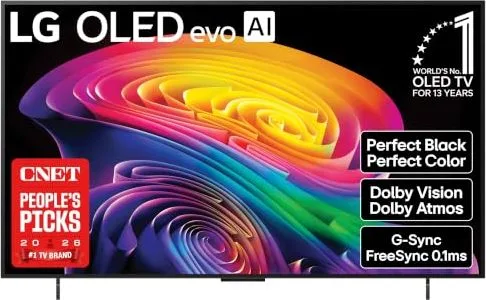
The 42" C6 is the TV-or-monitor answer: the C6's gaming features at desk size. It skips the Brightness Booster of the larger sizes, so expect a dimmer picture than reviews of the 65" describe.
What You Need to Know First
This page covers the 42-inch C6, model OLED42C6PUA. Two facts set it apart from the reviews you'll read elsewhere:
- No lab has measured it. RTINGS, Tom's Guide, TechRadar and Expert Reviews all tested the 65-inch C6. We found no published measurement of the 42-inch.
- It is dimmer. RTINGS says the 42-inch "doesn't have LG's Brightness Booster technology, so it's not as bright as the bigger models", while its settings advice still applies.
So treat the 65-inch brightness numbers as a ceiling this TV won't reach. The panel type (OLED-EX), processor (alpha11 Gen3, on every C6 size according to TechRadar) and gaming features carry over.
The C6 Family, Size by Size
LG's naming makes this harder than it should be. The 55-inch and 65-inch C6 share this panel type, with Brightness Booster added. RTINGS's C6 review covers the 48-inch too, as OLED-EX; only Expert Reviews, testing UK sets, says the UK 48-inch uses the tandem panel of the bigger sets. The 77- and 83-inch sizes are sold as the C6H, a brighter tandem-panel TV.
If the UK report holds for US sets, the 48-inch would be the brighter desk option; we haven't reviewed it.
Gaming: The Whole C6 Feature Set, Smaller
RTINGS's C6 review covers the 42-inch alongside the 55- and 65-inch and lists HDMI 2.1 bandwidth on all four ports; on its 65-inch test set it measured the full 48Gbps on every one. In practice, a PS5, an Xbox Series X and a gaming PC can all stay connected. Consoles get 4K/120Hz with VRR and ALLM; LG lists up to 165Hz from a PC with a capable graphics card, with G-Sync Compatible and FreeSync Premium.
Input lag on the 65-inch is very low: Tom's Guide measured 9.1ms at 4K/60 with Boost on, and RTINGS calls it "incredibly low". Nobody has measured the 42-inch, but it uses the same processor, and RTINGS says its game settings apply. Picture a night drive on a desk-sized screen: headlights glow, the road beyond them stays truly black.
For GTA 6
Rockstar says GTA 6 is "targeting 30 frames per second" on "the current generation of consoles" (PS5 and PS5 Pro, Xbox Series X and S; Newswire, 10 November 2026). No 40fps or 60fps mode has been announced as of 11 November 2026. On a fast OLED, each 30fps frame is held sharply and then jumps, so slow pans stutter: RTINGS flags "noticeable stutter" on the C6.
LG has no smoothing inside game mode; its help page says TruMotion "cannot be set if you set the game mode". One new 42-inch C6 owner with three other LG OLEDs expects 30fps to be "totally fine", trusting GTA 6's motion blur to cover it. That's a prediction, not a test. For desk or couch, see TV or monitor for GTA 6 and the best TVs for GTA 6.
On a desk, the risk is static content: taskbars, game HUDs, a browser left open. RTINGS rates the C6 high risk for burn-in with static elements. RTINGS says mixed content shouldn't cause issues, so vary what's on screen, and switch the TV off rather than leaving it idle: LG's manual says Pixel Cleaning runs at power-off.
The Weak Points
Brightness. Without Brightness Booster, this is the dimmest C6. At a desk in a dim room that may not matter; in a sunny room it will.
Glare. The C6's glossy screen handles lamps and windows opposite it only "okay" (RTINGS, 65-inch). Behind a desk, a window at your back reflects straight into view.
Burn-in. LG's manual lists a "game console icon" among images likely to cause retention, and says current technology "cannot completely prevent" it. The TV dims fixed images automatically. See TV burn-in explained.
The usual C6 gaps. No HDR10+, no DTS audio and no Dolby Vision 2 (RTINGS).
Strengths
- ✓The C6 line's gaming features at desk size: four HDMI 2.1 ports and up to 165Hz with a PC (LG)
- ✓Incredibly low input lag in Game Optimizer on the C6 (RTINGS, 65" tested)
- ✓LG promises up to five years of webOS updates (LG)
Cons
- ✗No Brightness Booster: RTINGS says it is not as bright as the larger C6 sizes
- ✗Lab results from RTINGS and Tom's Guide are for the 65"; no 42" was measured
- ✗Glossy screen and noticeable stutter in slow pans (RTINGS, 65")
What Owners Report
Owner reports on the 42-inch are thin so far. In a late-October Reddit thread from buyers choosing a C6 for GTA 6, one owner who received a 42-inch that day (and owns three other LG OLEDs) was confident 30fps would be fine. Another poster in the same thread, replying to that owner and apparently with the same TV, reported a black screen when switching the PS5 to HDMI 1; the first owner said they had never seen that problem.
These are individual reports, not defect rates, and none comes from a long-term owner yet.
42" C6 vs the Alternatives
- LG 55" OLED C6: the same TV with Brightness Booster, and the lab figures to prove it, at a Flagship price. The better buy if it fits. See our 55" C6 review.
- Samsung 48" S85H: Samsung's small OLED, with Game Motion Plus to smooth 30fps console games inside game mode (off when VRR is on), but no Dolby Vision. See our S85H review.
- Samsung S90H, 42-inch: uses LG's OLED-EX panel type under a matte screen. We review the 65-inch S90H.
- A gaming monitor: if you only play at a desk, see TV or monitor for GTA 6.
Who Should Buy the 42" C6, and Who Shouldn't
Buy it if you want one screen for a desk or a small bedroom that works as a TV and a gaming monitor, with a console and a PC both plugged in, in a room you can keep dim.
Look elsewhere if the room is bright (step up to the 55-inch C6 or a matte screen), you leave static windows on screen all day, or you want 30fps smoothing without leaving game mode.
Frequently Asked Questions
Is the 42-inch C6 as bright as the bigger sizes?
No. RTINGS says the 42-inch "doesn't have LG's Brightness Booster technology, so it's not as bright as the bigger models". We found no lab that has measured the 42-inch, so the brightness figures in C6 reviews (taken on the 65-inch) overstate what this size delivers.
Can I use the 42-inch C6 as a PC monitor?
Yes. LG lists a refresh rate of up to 165Hz with a capable PC graphics card, and RTINGS found G-Sync Compatible, FreeSync and HDMI Forum VRR all working on the C6. The risk is burn-in from static elements such as taskbars: RTINGS rates the C6 high risk with static content, and LG's manual says the TV dims fixed images automatically.
What is the difference between the 42-inch and 48-inch C6?
Possibly the panel. RTINGS's C6 review covers the 42-, 48-, 55- and 65-inch together as OLED-EX models. Expert Reviews, testing UK sets, says the UK 48-inch uses the tandem panel of the bigger C6H. Whether that applies to US units is not confirmed, and we have not reviewed the 48-inch.
Does the 42-inch C6 have four HDMI 2.1 ports?
Yes. RTINGS's C6 review, which covers the 42-inch alongside the 55- and 65-inch, lists HDMI 2.1 bandwidth on all four ports, and it measured the full 48Gbps on all four of its 65-inch test set. Consoles get 4K/120Hz.
Will GTA 6 look choppy on the 42-inch C6?
Some players will notice it. GTA 6 targets 30fps on consoles (Rockstar, 10 November 2026), and a fast OLED shows 30fps pans as stutter. LG offers no smoothing inside game mode. One new 42-inch C6 owner who already owns three LG OLEDs expects 30fps to be "totally fine"; others in the same thread disagree.
Final Verdict
The 42" C6 is the TV-or-monitor answer: the C6's gaming features at desk size. It skips the Brightness Booster of the larger sizes, so expect a dimmer picture than reviews of the 65" describe.
The 42-inch C6 gives you the C-series gaming features in the smallest C6. Buy it for a desk or a small, dim room; if you want the brightness the reviews describe, the 55-inch is the size that has it.
See all Best OLED TVs
Sources
This review is based on the manufacturer's published specifications, on reviews and lab measurements by the outlets below, and on owner reports. We have not tested the TV ourselves. No outlet we found has measured the 42-inch; lab figures quoted here come from the 65-inch and say so.
- RTINGS, LG C6 OLED 2026 settings: which sizes the results cover, and the 42-inch without Brightness Booster
- RTINGS, LG C6 OLED 2026 review (65" tested; test bench update 10 November 2026)
- LG USA, OLED65C6PUA product page: 165Hz and gaming claims (read 11 November 2026)
- LG USA, C6 / B6 / C6H Safety and Reference manual (2026)
- TechRadar, LG C6 review (65"; 6 May 2026)
- Tom's Guide, LG C6 OLED review (65", US; updated 10 November 2026)
- Expert Reviews, LG C6 OLED (Primary RGB Tandem) review, John Archer (UK 77"; 20 October 2026)
- LG USA help library, stuttering in 30fps games on PS5 (4 November 2025)
- Rockstar Games Newswire, "Pre-Load Grand Theft Auto VI Now" (10 November 2026)
- Reddit r/OLED_Gaming, "Planning on purchasing the LG C6 ... mainly due to GTA 6", including a 42" C6 owner (31 October 2026)
- Reddit r/LGOLED, "LG 65 C6 and PS5": the TruMotion route (2 November 2026)