Sony 55" BRAVIA 3 4K LED Smart Google TV Review 2026
The only TV at this price where the processor matters more than the panel. Sony's X1 chip turns a basic LED into something special.
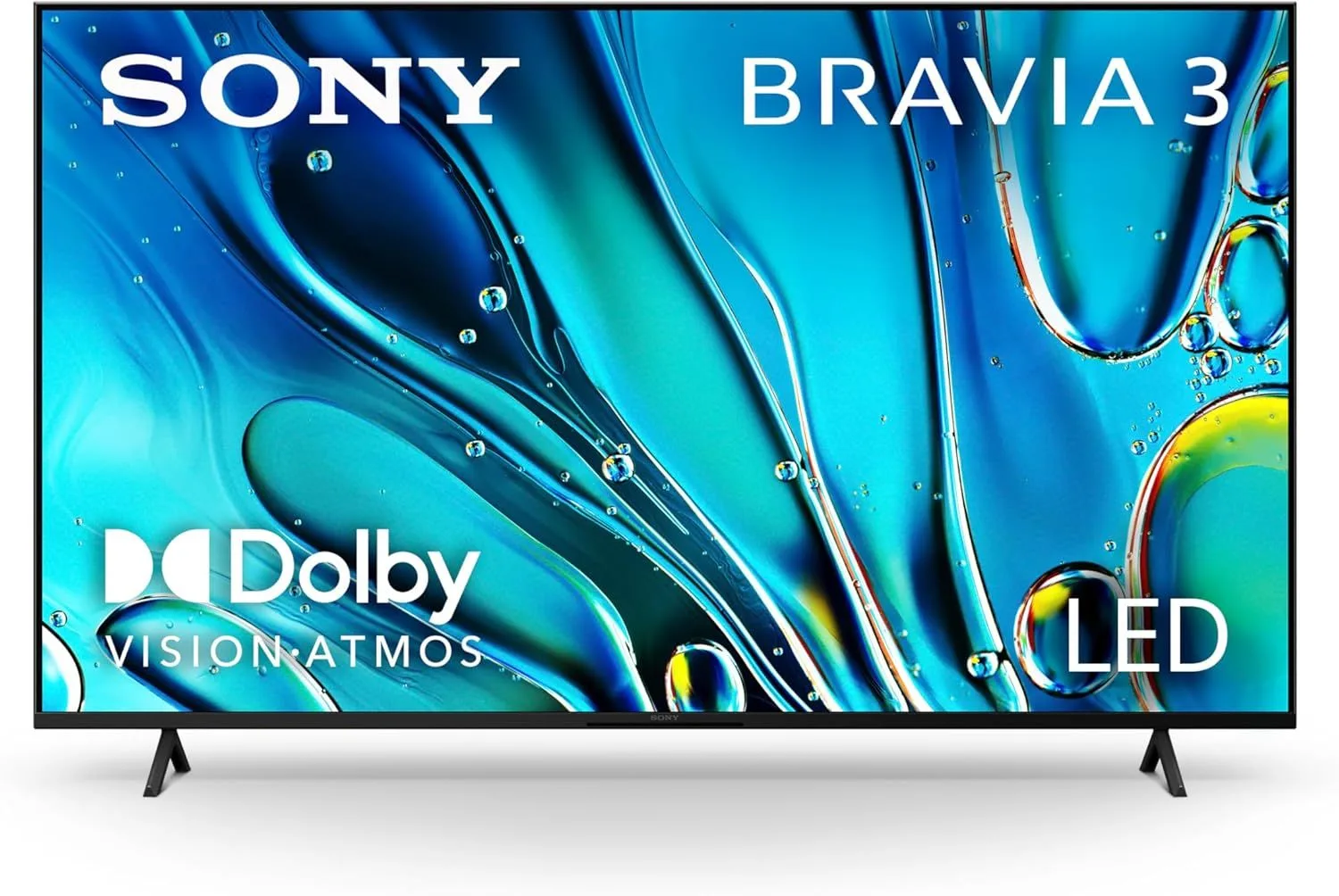
The only budget TV with Sony's image processing. The X1 chip makes the same 4K LED panel look noticeably better than competitors. You're paying for processing quality, and it's worth it for movie watchers.
Why the X1 Processor Changes Everything
On paper, the BRAVIA 3 looks overpriced. A 60Hz LED panel without HDMI 2.1 at mid-range for its category pricing? Every spec comparison puts it behind Samsung's Q7F and Amazon's Omni QLED 2025.
Then you watch content on it, and the spec sheets stop mattering.
Sony's X1 processor applies years of cinema-grade image processing to every frame. Upscaling is sharper — 1080p Netflix content looks notably closer to native 4K than on any competitor. Color accuracy out of the box is essentially reference-grade. Motion handling on film content (24fps) is the smoothest in this entire price range. The panel is basic. What Sony does with it is not.
Most TVs in this range ship with oversaturated color profiles to look impressive on a showroom floor. The BRAVIA 3 ships calibrated to the BT.709 standard out of the box. For movie watching, this means directors see what they intended without you needing to hire a calibrator. This single feature has real value for cinephiles.
Living Room Performance
Streaming The Last of Us on HBO Max in a curtain-drawn living room, the BRAVIA 3 finds detail in dark scenes that budget TVs smear into murky gray. The X1 chip's tone mapping extracts shadow detail from HDR content that cheaper processors clip. Post-apocalyptic shows with lots of dark interiors look notably better here.
Switching to a bright nature documentary, colors are vibrant but restrained. A sunset is warm, not radioactive. Grass is green, not neon. After watching on an oversaturated QLED panel, the BRAVIA 3 looks subdued at first — then you realize it looks correct.
The 60Hz Limitation
Sports viewers and gamers will feel the 60Hz ceiling. Fast camera pans during football games show some blur. Gaming at 120fps is impossible. And the lack of HDMI 2.1 means current-gen consoles are limited to 60fps regardless of the game. This is the BRAVIA 3's biggest compromise, and it is a real one.
What Impresses
- ✓Sony X1 processor delivers genuinely better upscaling than any budget competitor
- ✓Best out-of-box color accuracy in this price range
- ✓Google TV with Chromecast and BRAVIA features
Cons
- ✗Significantly more expensive than similar-spec competitors
- ✗Still 60Hz — no gaming advantage
- ✗No HDMI 2.1 ports
Google TV: The Smart Platform Done Right
Sony pairs the X1 processor with Google TV — arguably the most capable smart TV platform. Chromecast is built in, Google Assistant handles voice search across all services, and the app ecosystem is the largest available. BRAVIA Connect adds phone-based control that feels natural.
Unlike Fire TV, Google TV does not bombard you with a single retailer's promotions. Content recommendations span all your subscribed services. It is not ad-free, but the balance between discovery and advertising is significantly better than Amazon's approach.
Paying for Processing
The BRAVIA 3 at $500–$800 asks you to value image quality over features. You pay more than Samsung's Q7F QLED and get fewer specs on paper. No 120Hz. No HDMI 2.1. No QLED color volume. What you get is a picture that looks better despite all those missing bullet points.
This is a TV for people who sit down, turn on a movie, and care about how it looks. Not for gamers. Not for spec-sheet shoppers. For watchers. If that is you, the Sony premium is real and justified.
Frequently Asked Questions
Why is the Sony BRAVIA 3 more expensive than similar-spec TVs?
You are paying for the X1 processor. Sony image processing is genuinely superior — it upscales lower-resolution content better, handles motion more smoothly, and produces more accurate colors out of the box than any competitor at this tier. The panel specs are similar, but the picture is not.
Can I game on the Sony BRAVIA 3?
Basic gaming works fine, but the 60Hz panel and lack of HDMI 2.1 mean no 4K at 120fps, no VRR, and no ALLM. Competitive gamers and current-gen console owners should look elsewhere. Casual single-player gaming is perfectly adequate.
How does Sony BRAVIA 3 compare to Samsung Q7F?
Different priorities. The Samsung Q7F offers 120Hz and HDMI 2.1 for gaming but weaker image processing. The Sony BRAVIA 3 has superior color accuracy and upscaling but is stuck at 60Hz. Gamers should pick Samsung. Movie watchers should pick Sony.
What is BRAVIA Connect and is it useful?
BRAVIA Connect lets you control the TV from your phone, including keyboard input for searches and app login. Combined with Google TV and Chromecast built-in, the ecosystem integration is smooth. It is particularly useful for entering passwords — typing on a phone beats the TV remote.
Does the BRAVIA 3 support Dolby Vision?
Yes. Dolby Vision, HDR10, and HLG are all supported. Sony processes Dolby Vision content exceptionally well thanks to the X1 chip — you will notice more shadow detail and smoother tone mapping compared to budget TVs with the same HDR support.
Final Verdict
Rating: 4.4/5
The only budget TV with Sony's image processing. The X1 chip makes the same 4K LED panel look noticeably better than competitors. You're paying for processing quality, and it's worth it for movie watchers.
Buy it if picture quality is your top priority and you do not game. Skip it if 120Hz, HDMI 2.1, or specs-per-dollar matter more than image processing refinement.
Track the Sony 55" BRAVIA 3
We check the price daily and monitor availability. You hear from us when something changes.
Only when something changes. Unsubscribe anytime.