Roku 65" Select Series Smart TV (2025) Review 2026
The big-screen Roku for families who want the simplest TV experience with zero bloatware.
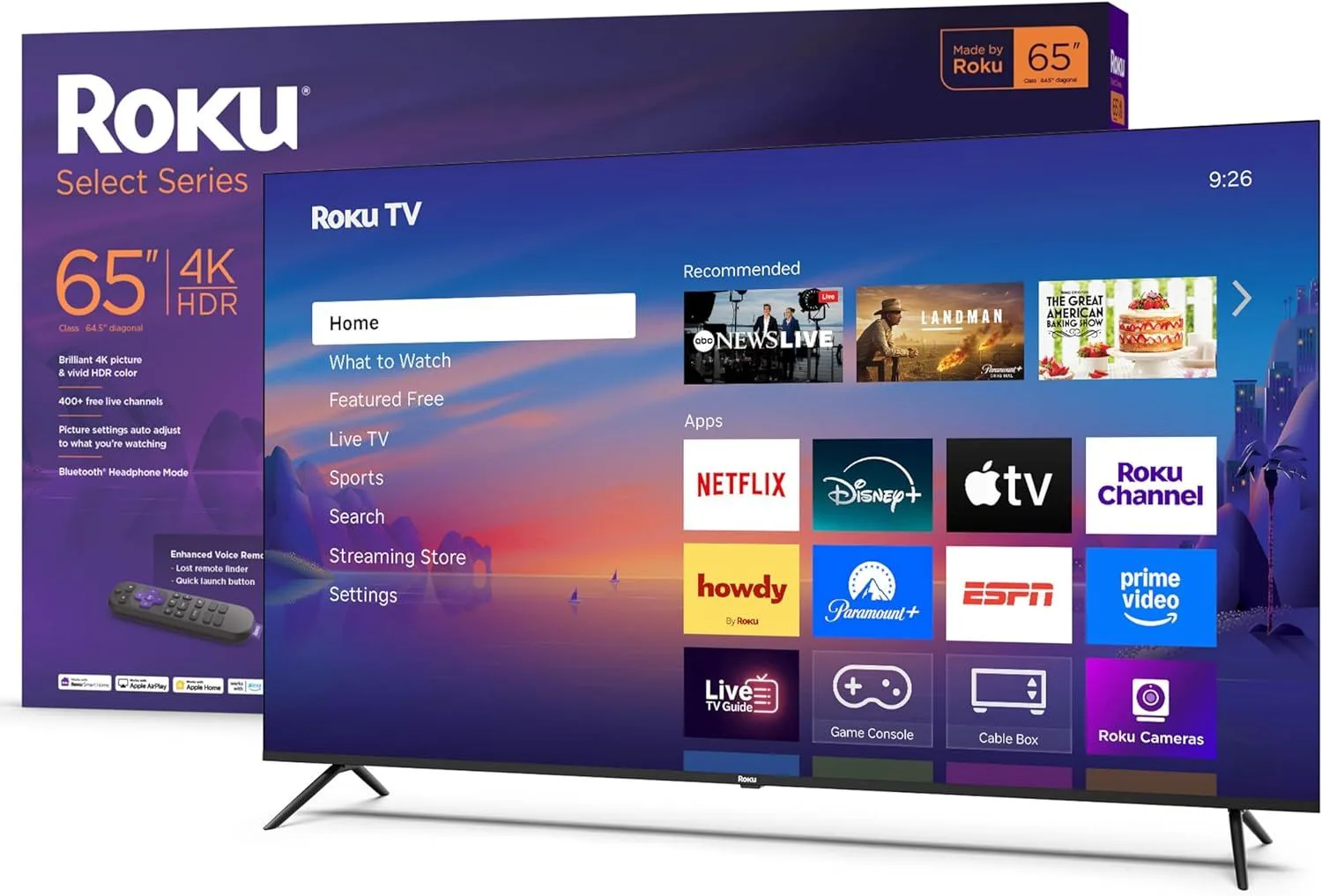
The same Roku simplicity advantage scaled to 65". You give up some specs vs similarly-priced Fire TVs and Google TVs, but the software experience is dramatically less cluttered.
Built for Households, Not Spec Sheets
The Roku 65" Select is not trying to win any picture quality competitions. It is trying to be the TV that everyone in the house can use without calling you for help. And at that mission, it succeeds better than any 65" competitor.
Grandparents visiting for the weekend can figure out the remote. Kids can find their shows without accidentally triggering Alexa or landing on an ad-driven recommendation page. The person who sets up the TV never becomes the household's permanent tech support. That has genuine value in a family home.
What Absence Looks Like
Power on the Roku 65" Select. Your apps appear in a grid. That is it. No full-screen advertisement loading while you wait. No auto-playing preview of a show you did not ask for. No "suggested content" driven by algorithms that know your viewing history.
Fire TV and Google TV both monetize the home screen aggressively. Samsung's Tizen is cleaner but still surfaces Samsung-first content. Roku's interface is the closest thing to a blank canvas in the smart TV market. You install what you want. Nothing else competes for your attention.
Roku OS supports multiple user profiles. Each family member gets their own app layout and streaming preferences. Kids see their apps. Parents see theirs. No more scrolling past Cocomelon to find where you left off on The White Lotus.
Apple Families Take Note
At this price, the Roku Select is the cheapest 65" TV with AirPlay 2 and HomeKit. Cast family photos from an iPad during dinner. Mirror a Mac for a home office presentation. Say "Hey Siri, turn off the living room TV" from your iPhone.
Fire TV integrates with Alexa. Samsung integrates with SmartThings. But for Apple households, Roku OS is the best budget bridge between your Apple devices and a big screen.
Strengths
- ✓Cleanest smart TV interface available at 65"
- ✓Apple AirPlay and HomeKit built in
- ✓No aggressive ads or bloatware
Cons
- ✗Basic LED panel lacks local dimming
- ✗60Hz limits gaming potential
- ✗Peak brightness below Fire TV competitors
The Specs Trade-Off at 65 Inches
No Dolby Vision. No local dimming. The basic LED panel lacks the peak brightness of competing Fire TVs at the same price. In a bright room, the Toshiba C350 holds up slightly better. In a dark room streaming Dolby Vision content, the Toshiba also wins because the Roku does not support the format.
The 10W speakers are the weakest in the budget 65" class. The Panasonic W70 offers 20W at a similar price. The Samsung U8000F also delivers 20W. At 65 inches, you are likely using this in a larger room where speaker power matters more. Budget for a soundbar.
The Right Buyer for This TV
You have an Apple household. You want a simple interface. You are tired of ads on your TV. You have family members who struggle with complicated remotes. You value software experience over hardware specs. If three or more of those apply, the Roku 65" Select is your TV.
If you primarily care about picture quality for the money, the Toshiba C350 delivers more for less. The Roku's advantage is entirely in the software and ecosystem experience.
Frequently Asked Questions
What is the difference between Roku Select and Roku Pro Series?
The Select Series is Roku's budget line with basic LED panels and 60Hz. The Pro Series adds QLED, full-array local dimming, 120Hz, and VRR for gaming. If you need just a simple streaming TV, the Select is sufficient. If you want better picture quality and gaming support, the Pro Series is the step up.
Does the Roku 65" Select support Dolby Vision?
No. The Select Series supports HDR10 and HLG only. This is consistent with Roku's approach of keeping the entry-level price low. For Dolby Vision, look at the Toshiba C350 or step up to the Roku Pro Series.
Can you use AirPlay to cast from iPhone to the Roku 65" Select?
Yes. AirPlay 2 is built in, so you can cast video, photos, music, and mirror your screen from any Apple device. HomeKit integration also lets you add the TV to the Apple Home app for Siri voice control.
Is the Roku 65" Select good for families with kids?
Excellent choice for families. The interface is simple enough for kids to navigate, the parental controls are straightforward to set up, and there are no aggressive ads pushing inappropriate content. The clean interface is one less thing to manage in a household with children.
How does the Roku Select remote work?
The remote is simple by design: a directional pad, home button, back button, and dedicated streaming buttons for major services. No voice assistant that triggers accidentally. Optional voice search is available by pressing and holding a button, but it is never always listening.
Final Verdict
Rating: 4.2/5
The same Roku simplicity advantage scaled to 65". You give up some specs vs similarly-priced Fire TVs and Google TVs, but the software experience is dramatically less cluttered.
The family TV that prioritizes simplicity. Ideal for Apple households and multi-generational homes.
Track the Roku 65" Select
We check the price daily and monitor availability. You hear from us when something changes.
Only when something changes. Unsubscribe anytime.