Hisense 55" CanvasTV S7N Smart Google TV Review 2026
Samsung's Frame TV created the art display category. Hisense's CanvasTV delivers 80% of that experience at half the price -- with a matte display that genuinely looks like a painting on the wall.
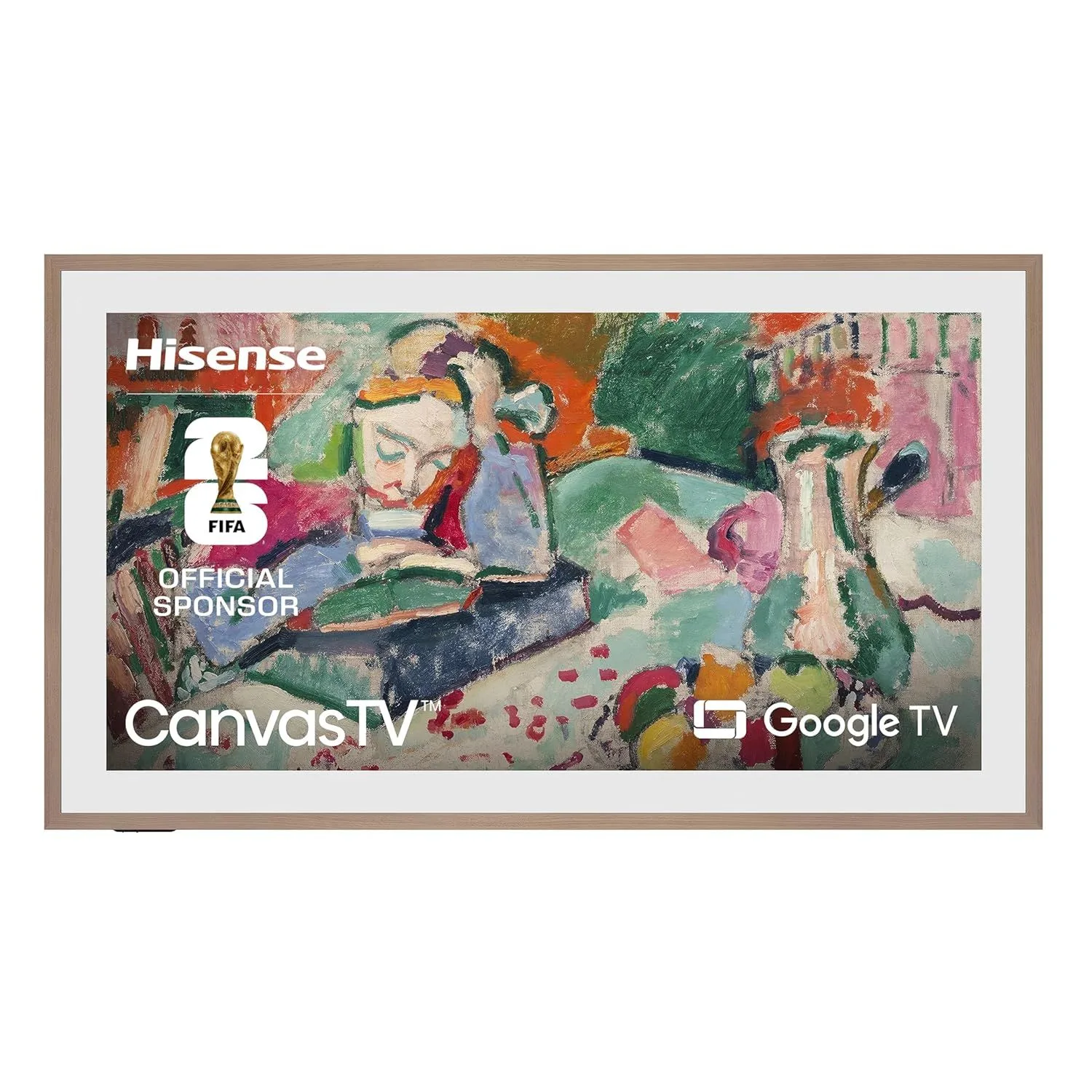
Hisense's CanvasTV delivers 80% of Samsung's Frame experience at roughly half the price. The matte display is genuinely convincing as wall art, and Google TV is a better platform than Tizen.
The Affordable Art TV
Samsung's The Frame costs a lot. For years, if you wanted a TV that doubled as wall art, Samsung was the only serious option. The Hisense CanvasTV S7N changes that equation. At $500–$800, it undercuts Samsung's 55-inch Frame by hundreds while delivering the same core promise: a TV that looks like a framed painting when you are not watching it.
The matte anti-glare display is the key. Walk past the CanvasTV in art mode and your first instinct is that someone hung a large print on the wall. The screen does not reflect room lights. It does not glow at the edges. It does not look like a TV displaying a picture of a painting -- it looks like paint on canvas. That illusion is what you are paying for, and the CanvasTV delivers it convincingly.
Art Mode: What Works, What Doesn't
The built-in art library is curated and free -- no subscription fee. Samsung charges for their Art Store after an initial trial. The Hisense library is smaller, with fewer museum partnerships and famous works. For buyers who plan to display family photos, personal artwork, or a rotating selection of downloaded images, the library size is irrelevant. You can upload anything.
The motion sensor detects when the room is empty and dims the display to save power. When someone enters, the artwork returns to full brightness. This works reliably after a brief learning period -- the sensor needs a few days to calibrate to your room's traffic patterns.
What does not work as well as Samsung: bezel customization. Samsung offers magnetic snap-on bezels in wood, metal, and various colors. The CanvasTV has a fixed bezel designed to look like a picture frame. It is well-made and attractive, but you cannot swap it to match your decor. For most buyers, the included bezel is fine. For interior design enthusiasts who want to match their TV frame to their wall art frames, Samsung remains the only option. See our full CanvasTV vs Samsung Frame comparison for a detailed breakdown of every difference, and our Samsung Frame review for the complete picture on Samsung's offering.
The CanvasTV runs Google TV -- a significantly better smart platform than Samsung's Tizen. Chromecast is built in. The app library is deeper. Voice search through Google Assistant is more capable than Samsung's Bixby. For daily TV watching, the software experience on the CanvasTV is superior to Samsung's Frame.
Picture Quality: Good Enough for the Mission
The CanvasTV uses a QLED panel with quantum dot color enhancement. In TV mode, picture quality is solid for casual streaming -- Netflix, Disney+, and YouTube look good. Colors are vibrant and the matte coating reduces reflections in brightly lit rooms. Dolby Vision and HDR10+ dual format support is a genuine advantage over Samsung's Frame, which lacks Dolby Vision.
This is not a picture quality flagship. The 60Hz panel means no gaming advantage. Peak brightness is moderate. Local dimming is limited. If you are buying a TV primarily for movie watching or gaming performance, every dollar spent on the CanvasTV is a dollar better spent on an LG OLED or TCL Mini-LED. The CanvasTV's picture quality is a means to an end -- the end being a TV that disappears into your wall decor when turned off.
Strengths
- ✓Matte anti-glare display looks like a real painting
- ✓Art mode with curated digital art library
- ✓Google TV platform with Chromecast
Cons
- ✗Art library smaller than Samsung's Art Store
- ✗QLED picture quality trails Samsung's Frame at similar sizes
- ✗Less refined bezel customization than Samsung
Who This TV Is For
The CanvasTV is for people who care about how their living room looks when the TV is off. If your TV sits on a media console and you rarely think about it when it is not in use, the CanvasTV is overpriced for its picture specs. A TCL QM6K or Hisense U8QG delivers better picture quality for similar money.
If your TV is wall-mounted in a room where aesthetics matter -- a living room, dining room, or home office -- the CanvasTV transforms a black rectangle into a design element. That transformation has real value for the right buyer. The question is whether that value is worth the picture quality trade-off versus similarly priced competitors.
Frequently Asked Questions
How does the Hisense CanvasTV compare to Samsung The Frame?
The CanvasTV delivers roughly 80% of The Frame experience at approximately half the price. The matte display is comparable. Google TV is a better platform than Tizen. Where Samsung wins: a larger art library, customizable magnetic bezels, and more refined motion detection. Where Hisense wins: price, Dolby Vision support, and Google TV.
Does the matte display affect picture quality when watching TV?
Slightly. The matte anti-glare coating reduces reflections but also diffuses light, which can make the image appear marginally softer than a glossy screen. In normal viewing conditions at typical distances, the difference is subtle. The trade-off is a display that looks like a real painting in art mode instead of a glowing screen.
How much art is included for free?
Hisense includes a curated art library at no ongoing cost. Samsung charges a subscription for their Art Store after an initial free period. The Hisense library is smaller but growing, and you can upload your own images. For many buyers, personal photos and a modest built-in library are sufficient.
Can I customize the bezel like Samsung The Frame?
Not in the same way. Samsung offers magnetic snap-on bezels in different colors and materials. The Hisense CanvasTV has a fixed bezel design that mimics a picture frame but cannot be swapped. The built-in bezel is well-designed, but customization is a Samsung-exclusive feature.
Is 60Hz a problem for the CanvasTV?
For the intended use case -- art display and casual streaming -- 60Hz is fine. If gaming is a priority, this is the wrong TV. The CanvasTV is designed as a living room design element first and a TV second. Gamers should look at the LG C5 or TCL QM series.
Final Verdict
Rating: 4.3/5
Hisense's CanvasTV delivers 80% of Samsung's Frame experience at roughly half the price. The matte display is genuinely convincing as wall art, and Google TV is a better platform than Tizen.
The right TV for design-first buyers who want art mode without Samsung's premium. The wrong TV for anyone who prioritizes picture performance over living room aesthetics.
Track the Hisense 55" CanvasTV
We check the price daily and monitor availability. You hear from us when something changes.
Only when something changes. Unsubscribe anytime.