Hisense 55" CanvasTV vs Samsung 55" The Frame: Which Art TV Wins in 2026?
Two TVs designed to look good when they are off. The Hisense CanvasTV and Samsung Frame both offer art mode displays with matte anti-glare screens — but they take different approaches to the same idea. The CanvasTV runs Google TV and costs less. The Frame runs Tizen, includes a flush wall mount, and has the bigger art library. Both are QLED at 55 inches, both display art convincingly. The question is whether Samsung's extras are worth the price difference.
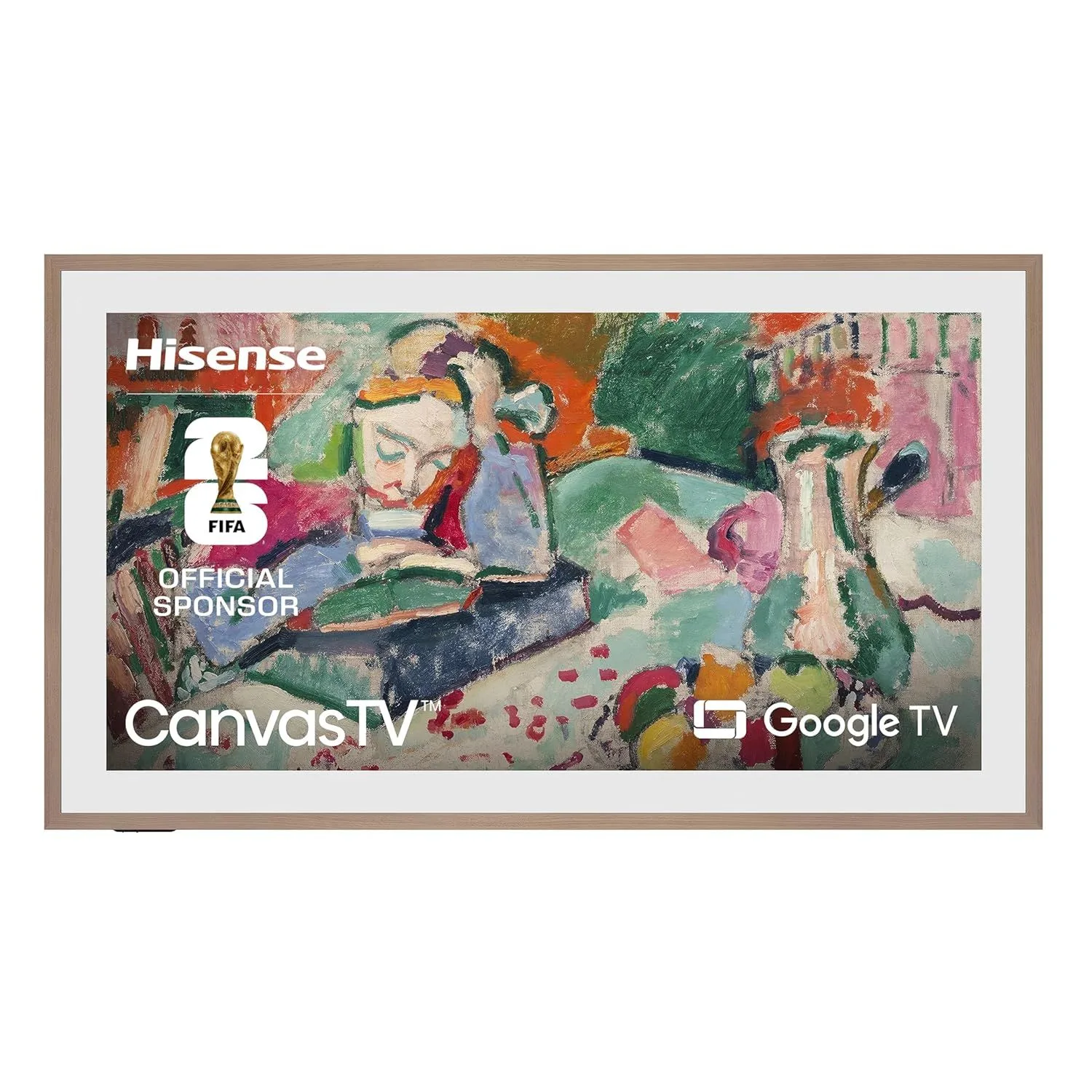
Hisense 55" CanvasTV

Samsung 55" The Frame
Verdict: The Hisense 55" CanvasTV wins on value — similar art mode quality at a lower price with Google TV's better app platform. The Samsung 55" The Frame wins on polish — the Slim Fit Wall Mount, larger art library, and customizable bezels make it the more complete art-TV package. Buy the CanvasTV to save money. Buy The Frame for the best wall-art experience money can buy.
Full Specs Comparison
| Feature | Hisense 55" CanvasTV S7N Smart Google TV | Samsung 55" The Frame LS03F 4K QLED Smart TV (2025) |
|---|---|---|
| Price Range | $500–$800 | $800–$1,200 |
| Screen Size | 55" | 55" |
| Panel Type | QLED | QLED |
| Resolution | 4K UHD | 4K UHD |
| Refresh Rate | 60Hz | 120Hz |
| HDR Formats | HDR10+, Dolby Vision, HLG | HDR10+, HLG |
| Smart Platform | Google TV | Tizen |
| Check Price | Check Price |
The Art Mode Battle
Art Library & Content Frame Wins
Samsung's Art Store is the most extensive digital art collection on any TV — over 2,000 works from the Metropolitan Museum of Art, Albertina, and dozens of other institutions. A monthly subscription unlocks rotating curated collections. The CanvasTV's art library, accessed through Google TV's ambient mode and partner apps, is smaller and less polished. For variety and museum-quality curation, Samsung has invested more.
Both TVs display personal photos. Samsung's editing tools for making photos look like paintings are more refined. The CanvasTV relies on Google Photos integration, which is simpler but functional.
Art Display Realism Tie
Both TVs use matte anti-glare displays that reduce reflections and mimic a canvas-like texture. From across a room, both are convincing as wall art. The CanvasTV has a slightly more textured matte surface that looks like an actual stretched canvas. The Frame's display is smoother but pairs with customizable bezels that create a more convincing picture-frame illusion. Different approaches, both effective.
Wall Mount & Installation Frame Wins
The Frame includes Samsung's Slim Fit Wall Mount in the box — a bracket that holds the TV nearly flush against the wall with a gap of only 7.4mm. The One Connect Box separates all the ports and cables from the TV, so a single thin cable runs to the box hidden below. It is the cleanest wall installation available on any consumer TV.
The CanvasTV uses standard VESA mounting, which means buying a separate wall mount. Standard mounts leave a visible gap between TV and wall. There is no cable management system — all HDMI and power cables run directly into the TV's back panel. For a true flush art-on-the-wall look, Samsung's engineered solution is superior.
Smart Platform CanvasTV Wins
The CanvasTV runs Google TV with Chromecast built in, the full Google Play Store, and seamless integration with Android phones. Samsung's Frame runs Tizen, which handles major streaming apps well but has a smaller app library and weaker casting support. For cross-platform flexibility, content discovery, and casting from mobile devices, Google TV provides the better daily experience.
Customization & Bezels Frame Wins
Samsung sells interchangeable bezel frames — Modern (clean metal), Beveled (classic picture frame), and Studio (raw wood). Swapping bezels transforms the TV's appearance to match different room styles. The CanvasTV has a fixed bezel design that cannot be customized. If matching the TV to your interior decor matters, Samsung's modular approach is unique in the market.
Value for Money CanvasTV Wins
The CanvasTV delivers a compelling art-mode experience at a notably lower price than The Frame. Both are 55-inch QLED panels with matte displays and art mode. The CanvasTV gives you 85-90% of the art TV experience for a meaningful savings. The Frame's extras — Slim Fit Mount, Art Store, customizable bezels — are real advantages, but they come at a premium that not every buyer needs to pay.
TV Performance Beyond Art Mode
Panel Specs Frame Wins
The Frame runs at 120Hz with one HDMI 2.1 port — capable of basic 4K/120Hz gaming and smoother motion handling. Its 40W speaker system sounds noticeably better than the CanvasTV's 20W. The CanvasTV's 60Hz panel with no HDMI 2.1 limits it to 4K/60fps content. Neither TV is a picture quality leader — both are mid-range QLEDs — but the Frame's higher refresh rate and better audio give it an edge for actual TV watching.
HDR Format Support CanvasTV Wins
The CanvasTV supports both HDR10+ and Dolby Vision, covering every major streaming service's preferred format. The Frame is limited to Samsung's HDR10+ ecosystem — no Dolby Vision. For Netflix, Disney+, and Apple TV+ content mastered in Dolby Vision, the CanvasTV delivers the content as intended while the Frame falls back to standard HDR10.
Who Should Get Which?
Get the Hisense 55" CanvasTV if...
- Art mode on a budget — you want the wall-art look without paying Samsung's premium
- You prefer Google TV's platform and already use Chromecast or Android devices
- Dolby Vision support matters for your streaming setup
- You do not need a flush wall mount — tabletop or standard VESA mounting is fine
Get the Samsung 55" The Frame if...
- The wall-art experience is your primary reason for buying — the Slim Fit Mount, bezels, and Art Store are worth the investment
- You want the cleanest possible wall-mounted installation with hidden cables
- You plan to customize bezels to match your room's decor over time
- You are already invested in Samsung's QLED ecosystem
Frequently Asked Questions
Which art mode looks more like a real painting?
Both TVs use matte anti-glare displays designed to mimic canvas texture, and both are convincing from across a room. The Samsung Frame has a slight edge thanks to customizable bezel frames that make it look like a physical picture frame. The CanvasTV looks more like a mounted canvas print. Both fool casual visitors.
Which has the bigger art library?
Samsung's Art Store has the largest collection — over 2,000 works from major museums and galleries, plus a subscription service for rotating collections. The Hisense CanvasTV offers a curated art library through Google TV with fewer options. If access to a wide variety of art is important, Samsung wins on library size.
Can I display my own photos on both TVs?
Yes. Both the CanvasTV and The Frame let you upload personal photos for display in art mode. Samsung's Art Store also offers tools to adjust photos to look more like paintings. The CanvasTV displays photos through Google TV's ambient mode. Both handle personal images well.
Do these TVs use a lot of power in art mode?
Both are designed for low-power art mode display. Samsung's Frame uses a brightness sensor and motion sensor — it dims the art display when the room is dark and turns off when no one is in the room. The CanvasTV has similar ambient light sensing. Expect roughly 40-60 watts in art mode versus 100-150 watts during active TV watching.
Is the picture quality the same when watching TV?
Both are QLED panels at 4K resolution, but Samsung's Frame has a 120Hz panel versus the CanvasTV's 60Hz. Samsung also has one HDMI 2.1 port for basic gaming. For content watching beyond art mode, the Frame offers slightly better specs. Neither is a picture quality leader — you are paying for art mode, not panel performance.
Which is better for wall mounting?
Samsung's Frame includes a Slim Fit Wall Mount in the box that positions the TV nearly flush against the wall. The CanvasTV uses standard VESA mounting — you need to buy a wall mount separately, and it will not sit as flat. For flush wall display, Samsung's included mount is a real advantage.
Ready to Buy?
Also Compare
Still Deciding?
Track Both Products
We'll email you if either price drops or availability changes.
Only when something changes. Unsubscribe anytime.